Configure SAML assertion attributes
SAML attributes are key components of SAML assertions that carry specific information about the authenticated user. These attributes can include user identifiers, roles, permissions, and other relevant user data that the Service Provider (SP) may need for authorization and personalization purposes.
Understanding SAML attributes
In SAML authentication:
- Attributes are name-value pairs that contain user information
- They are included in the SAML assertion sent from the Identity Provider (Logto) to the Service Provider
- They help Service Providers make informed decisions about user access and personalization
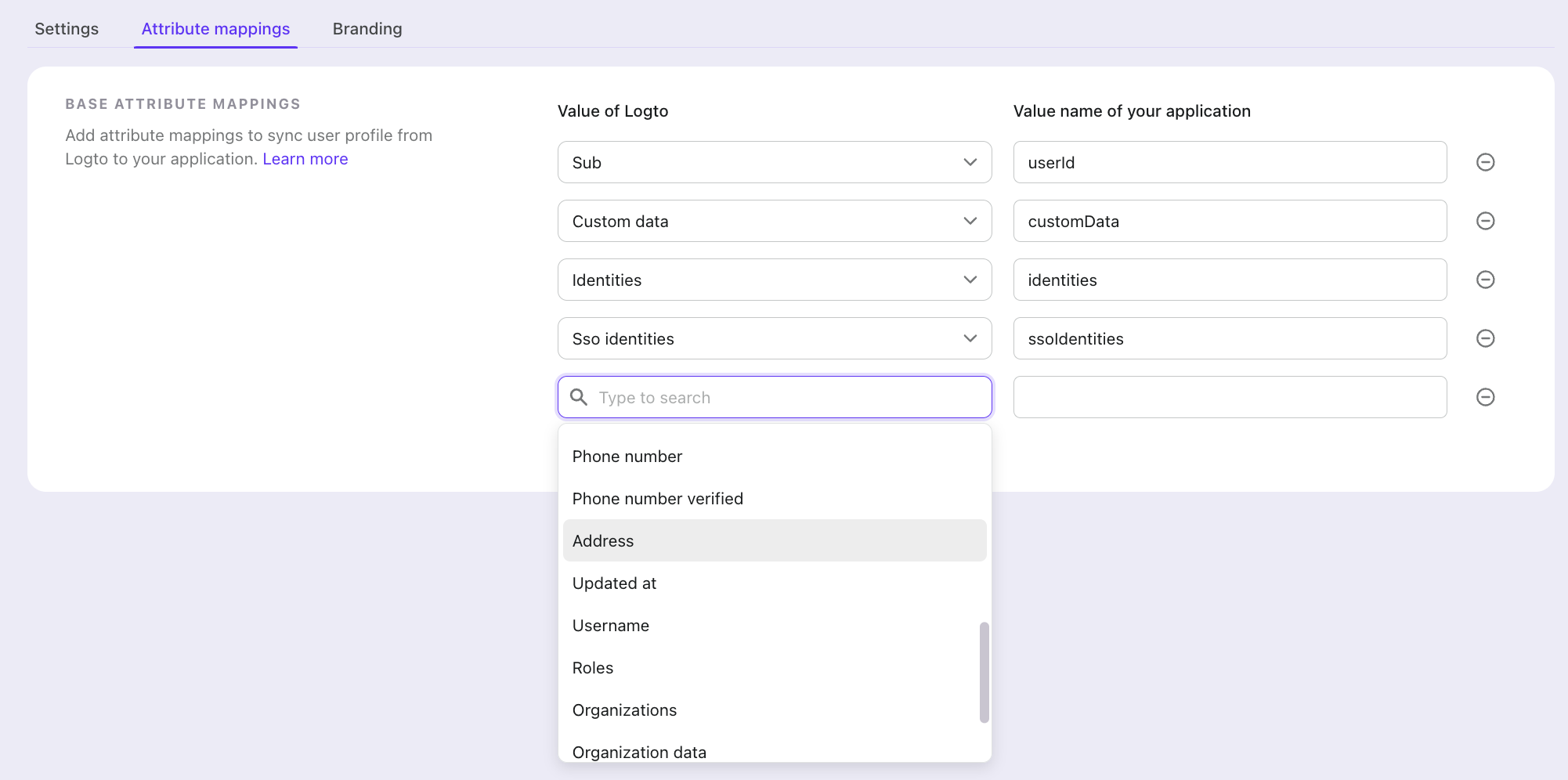
Attribute mapping in Logto
Attribute mapping allows you to define how user information from Logto should be mapped to specific attributes in the SAML assertion. This mapping ensures that your Service Provider receives the user information in the expected format and under the expected attribute names.
When you configure attribute mapping:
- You specify which user properties from Logto should be included in the SAML assertion
- You define custom attribute names that your Service Provider expects
- The mapped attributes are automatically included in the SAML assertion during authentication
Common attributes
Some commonly used SAML attributes include:
- Sub (User ID)
- Organizations
- Name
- Preferred username
View all user data available from Logto
By properly configuring attribute mapping, you ensure that your Service Provider receives all the necessary user information to provide appropriate access and personalization for your users.
You can map all Logto available user information to your SP's expected attributes using the attribute mapping settings.
Static attributes
Some Service Providers expect attributes that have the same value for every user, such as an ID that identifies your account or site on the Service Provider's side. Static attributes are fixed name-value pairs that Logto adds to every SAML assertion of the application, alongside the mapped user attributes.
For example, a NetSuite SuiteCommerce integration may expect account and site attributes:
| Attribute name | Value |
|---|---|
account | Your NetSuite account ID |
site | Your website ID |
Configure static attributes in Console
- Go to Console > Applications and open your SAML application.
- Open the Attribute mappings tab and find the Static attributes card below Base attribute mappings.
- Enter the attribute name in Key and its value in Value. Click Add another to add more attributes. To remove the last attribute, clear its key and value.
- Click Save changes.
Configure static attributes with Management API
Set staticAttributes when you create or update a SAML application with the Management API:
curl \
  --request PATCH \
  --header 'Authorization: Bearer <access-token>' \
  --header 'Content-Type: application/json' \
  --data '{"staticAttributes": {"account": "<your-account-id>", "site": "<your-site-id>"}}' \
  'https://[tenant-id].logto.app/api/saml-applications/<application-id>'
An update that includes staticAttributes replaces the whole object, so include every static attribute you want to keep. Omit the field to leave them unchanged, or send {} to remove all of them.
Rules for static attributes
- Attribute names can contain ASCII letters, digits, and the characters
_ - . : / # @, so URI and OID names such ashttp://schemas.example.com/claims/siteorurn:oid:1.3.6.1.4.1.5923.1.1.1.6are accepted. - Each static attribute has a single, non-empty string value.
- Names must not conflict with each other or with the user attribute names in the assertion: the names in the Value name of your application column of your attribute mapping, or
sub,emailandnamewhen nothing is mapped. Logto compares names after converting them to camel case, with.,_and-as word separators, sosite_id,site.idandSiteIdconflict, and so doaccountandAccount. The same check runs when you change the attribute mapping. If saving reports a conflict, rename one of the attributes.
All attributes in the assertion, mapped and static, use the urn:oasis:names:tc:SAML:2.0:attrname-format:basic NameFormat and are sent as xs:string values. If your Service Provider expects URI or OID names with the urn:oasis:names:tc:SAML:2.0:attrname-format:uri NameFormat, check that it also accepts basic.